Contact us today!
888.442.4933

Computer Consulting Service Blog

Computer Consulting Service has been serving the Fayettville area since 1993, providing IT Support such as technical helpdesk support, computer support, and consulting to small and medium-sized businesses.

3 Practical Tips for Reducing Printer Usage in Your Office

3 Practical Tips for Reducing Printer Usage in Your Office

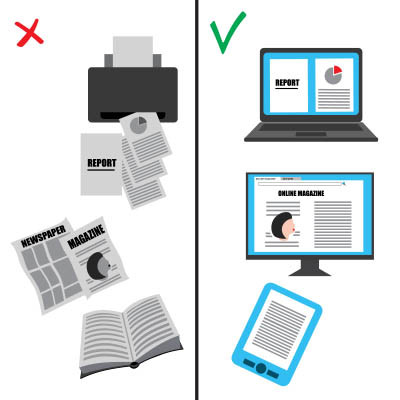
In nearly every office, the printer hums along, a familiar backdrop to the workday. Have you ever paused to consider how much all that printing really adds up? If the average office worker might use around 10,000 sheets of paper annually, as some studies suggest, that is far too high with the technology that’s available to us today. That’s a significant impact on budgets and the environment.

0 Comments

Continue reading

Why “Have You Tried Turning It Off and On Again?” is a Valuable Question

Why “Have You Tried Turning It Off and On Again?” is a Valuable Question

We’ve all heard it, perhaps even rolled our eyes at it: “Have you tried turning it off and on again?” This seemingly simplistic question has become a running gag in the world of IT support. But beneath the humor lies a fundamental truth: rebooting a device is often the most effective first step in resolving a surprising number of technical glitches.

We understand that, although it might sound elementary, this advice is based on solid technical principles.

0 Comments
Continue reading

Tracking Your Hardware Reduces Operational Headaches

Tracking Your Hardware Reduces Operational Headaches

If your business owns more than one computer, you’ve got tech to track. Laptops, monitors, printers, routers, projectors, phones; it all adds up fast. If you’re not keeping an eye on it, you could end up with missing gear, surprise inefficiency, or worse, security problems. That’s why tracking your hardware isn’t just a nice-to-have. It’s a need-to-do.

0 Comments
Continue reading

How to Make Microsoft Excel Work Harder for You

How to Make Microsoft Excel Work Harder for You

Microsoft Excel is a great productivity tool and can be used in a lot of different and interesting ways. 

0 Comments
Continue reading

Tip of the Week: Everything You Need to Know to Create a Windows Shortcut

Tip of the Week: Everything You Need to Know to Create a Windows Shortcut

Do you have a file or folder on your PC that you always seem to access, yet you have to dig through countless folders or files in your organizational hierarchy to find it? Windows makes it simple to add a new shortcut to your PC. Here’s how you can make a shortcut to a file, folder, or program on your Windows computer.

0 Comments
Continue reading

Tip of the Week: Creating a Desktop Shortcut to a Webpage

Tip of the Week: Creating a Desktop Shortcut to a Webpage

If you’re looking to maximize your productivity, then having the web-based resources you browse to everyday is a must. You can take this idea one step further by assigning a shortcut icon to a specific web page you frequent. Let’s discuss the process for how you can do this.

0 Comments
Continue reading

Tip of the Week: Using a Spreadsheet to Calculate Exact Age

Tip of the Week: Using a Spreadsheet to Calculate Exact Age

Both Microsoft Excel and Google Sheets offer a plethora of features to those who know how to use them, many of them with really niche applications to businesses. For instance, there is one function that allows you to easily calculate the time between the current date and a specified  day that, if applied properly, could easily provide businesses with some serious utility.

0 Comments
Continue reading

A Significant Vulnerability is Present in Apple Devices Through MacKeeper

A Significant Vulnerability is Present in Apple Devices Through MacKeeper

One of the big advantages that Mac computers have had over the traditional PC is that they “don’t get viruses,” but how true is this claim, really? Research conducted by Elastic Security Labs proves that this is certainly not the case, discrediting the prior claims of ads arguing the former.

0 Comments
Continue reading

Tip of the Week: Freezing Panes in Your Excel Spreadsheets

Tip of the Week: Freezing Panes in Your Excel Spreadsheets

Microsoft Excel is a great tool for keeping data and figures organized…until, that is, you need to scroll down at all, leaving some important headers out of sight. Fortunately, there is a way to keep your headings in view: freezing the panes they are present in. Let’s go over how to do so.

0 Comments
Continue reading

Tip of the Week: How to Share a Web Page Between Your Phone and Workstation

Tip of the Week: How to Share a Web Page Between Your Phone and Workstation

How often have you been browsing the web on your phone, only to find something that would be legitimately useful for your work—maybe it was a tip you wanted to try out, or a bit of information that would be helpful to know—so you wanted to be able to access it from your workstation? There’s actually a very easy way to make this happen, thanks to the multi-platform nature of the Google Chrome browser.

0 Comments
Continue reading

Tip of the Week: Configure Where to Start in Chrome

Tip of the Week: Configure Where to Start in Chrome

If you want to optimize productivity, then you’ll want to take a look at the startup page for your Google Chrome web browser. If you change this setting, you can shave off countless minutes every week while you fumble around trying to find your favorite or most frequently visited page.

0 Comments
Continue reading

Tip of the Week: Translating an Email within Gmail

Tip of the Week: Translating an Email within Gmail

How often do you receive emails from someone written in another language? We bet the answer is “not often,” but you never know when being able to translate an email might come in handy—especially if you ever do business overseas. Let’s go over the built-in translation functionality that comes with Gmail.

0 Comments
Continue reading

Tip of the Week: Save Your Documents as PDFs

Tip of the Week: Save Your Documents as PDFs

It’s a great feeling, being able to download something, but also being able to download it as a PDF file. In cases where you want to save something as a PDF rather than its original image or web page file, you can do so relatively easily in order to make printing and other tasks easier. You can do all of this right from your web browser.

0 Comments
Continue reading

Tip of the Week: How to Keep MFA Fatigue from Being a Security Vulnerability

Tip of the Week: How to Keep MFA Fatigue from Being a Security Vulnerability

We are major advocates for multi-factor authentication, but it’s also important to understand that it’s not a catch-all solution. In fact, it has forced cybercriminals to be even more innovative to find alternative methods of attack. One method hackers use to gain access to your systems is to use what’s called MFA fatigue to their advantage.

0 Comments
Continue reading

Tip of the Week: Retrieving Dismissed Android Notifications

Tip of the Week: Retrieving Dismissed Android Notifications

We’ve all accidentally swiped away an important notification on our mobile devices, but not all of us know that Android devices give us the opportunity to go back and check them. For this week’s tip, we’re going to go over the process of how you can retrieve these notifications.

0 Comments
Continue reading

Tip of the Week: How to Turn Off Sticky Keys

Tip of the Week: How to Turn Off Sticky Keys

Sticky Keys—the Windows accessibility feature that keeps modifier keys like Shift and Ctrl active after you’ve pressed them—have a legitimate and necessary purpose for some. However, those who don’t need Sticky Keys can find them immensely annoying. Let’s go over how to deactivate sticky keys if you don’t need them.

0 Comments
Continue reading

Tip of the Week: Altering the Sensitivity and Speed of Your Mouse

Tip of the Week: Altering the Sensitivity and Speed of Your Mouse

If your mouse moves slowly, so does the rest of your computing experience. If you change a couple of settings, you might find that your mouse speed and sensitivity can make a mountain of change for your productivity. Here’s how you can adjust these settings in Windows 10 or 11.

0 Comments
Continue reading

Tip of the Week: How to Download Google Workspace Files

Tip of the Week: How to Download Google Workspace Files

Google Workspace is a great tool that allows you to get a lot done, but sometimes you might find yourself in a position where you need to download the files and take them with you or send them to someone. In these cases, you might not want to share the link. Instead, you can simply download them as whatever file format you might need!

0 Comments
Continue reading

Tip of the Week: Three Steps to Better Backups

Tip of the Week: Three Steps to Better Backups

Because of the protection it can offer your organization, data backup is a necessary tool for you to have—that is, provided it has the requisite security and reliability you’ll need should you ever have to lean on it. Let’s go over a few guidelines to help you be sure that your backup is trustworthy enough to stake your business’ future on.

0 Comments
Continue reading

How to Spot a Phishing Attempt

How to Spot a Phishing Attempt

With email being such a huge part of doing business, phishing has become a favorite tool of many scammers. To fight back, it is key that you know how to recognize a phishing email, so we’re dedicating some time to doing just that.

0 Comments

Continue reading