
Contact us today!
888.442.4933

Computer Consulting Service Blog

Computer Consulting Service has been serving the Fayettville area since 1993, providing IT Support such as technical helpdesk support, computer support, and consulting to small and medium-sized businesses.

Tip of the Week: Creating a Desktop Shortcut to a Webpage

Tip of the Week: Creating a Desktop Shortcut to a Webpage

If you’re looking to maximize your productivity, then having the web-based resources you browse to everyday is a must. You can take this idea one step further by assigning a shortcut icon to a specific web page you frequent. Let’s discuss the process for how you can do this.

0 Comments

Continue reading

Tip of the Week: How to Share a Web Page Between Your Phone and Workstation

Tip of the Week: How to Share a Web Page Between Your Phone and Workstation

How often have you been browsing the web on your phone, only to find something that would be legitimately useful for your work—maybe it was a tip you wanted to try out, or a bit of information that would be helpful to know—so you wanted to be able to access it from your workstation? There’s actually a very easy way to make this happen, thanks to the multi-platform nature of the Google Chrome browser.

0 Comments
Continue reading

This Setting Helps Cap Google Chrome’s Battery Usage

This Setting Helps Cap Google Chrome’s Battery Usage

Google Chrome, used by about two-thirds of Internet users, is an infamous battery hog…or at least, that used to be the case. Google recently released Chrome 108, and with it, a feature called “Energy Saver.” Let’s talk about how to enable it.

0 Comments
Continue reading

Tip of the Week: Configure Where to Start in Chrome

Tip of the Week: Configure Where to Start in Chrome

If you want to optimize productivity, then you’ll want to take a look at the startup page for your Google Chrome web browser. If you change this setting, you can shave off countless minutes every week while you fumble around trying to find your favorite or most frequently visited page.

0 Comments
Continue reading

Is Your Web Browser Secure?

Is Your Web Browser Secure?

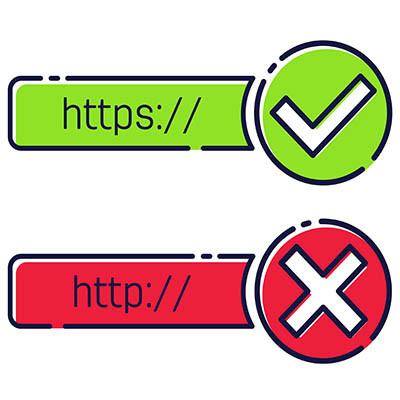
The Internet browser is easily one of the most-used applications in this day of cloud-hosted resources and online content… but for all that use, is it also one of the most-secured applications? In some ways, yes… but there’s always a few extra steps that can help you improve your protections.

0 Comments
Continue reading

Tip of the Week: Properly Manage Your Browser’s Saved Passwords (or Disable The Features Entirely)

Tip of the Week: Properly Manage Your Browser’s Saved Passwords (or Disable The Features Entirely)

Most accounts these days require a password of some sort, and as such, the average user has countless of these codes that need to be kept both secure and top-of-mind. Some web browsers have built-in password management tools to help make them more user-friendly, but with so much convenience involved, one has to ask whether or not these built-in management tools are as secure as they should be.

0 Comments
Continue reading